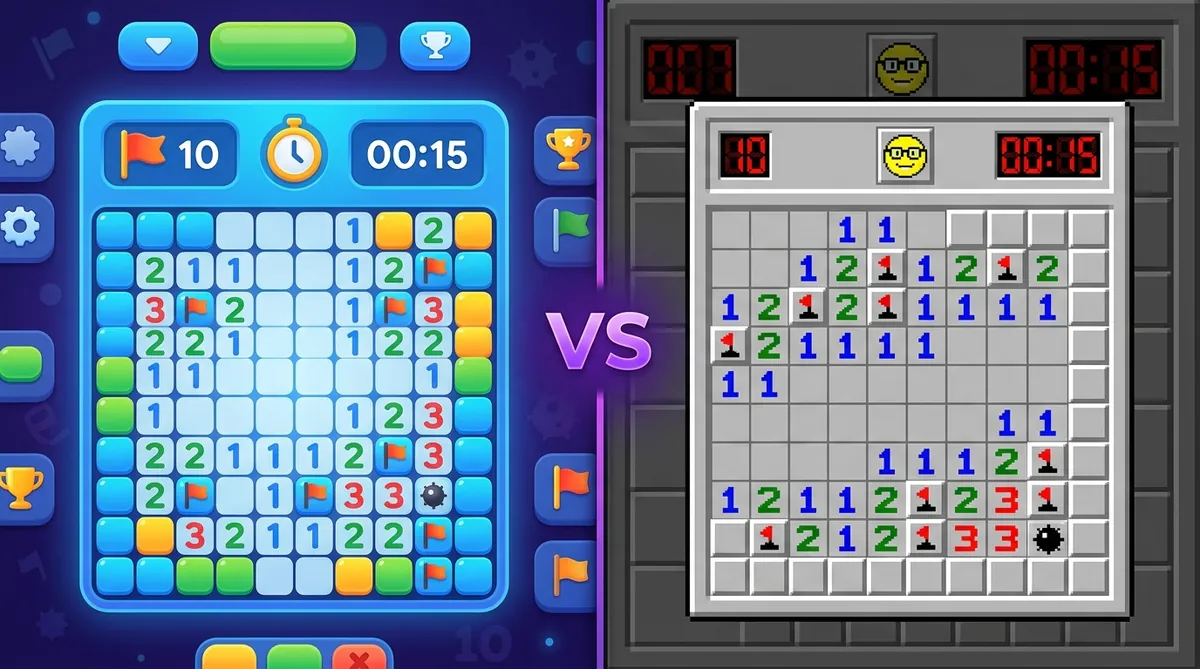
Google Minesweeper vs. Classic: Which One is Harder?
Neither is mathematically harder. Both use identical boards and identical mine densities - 12.3% on Beginner, 15.6% on Intermediate and 20.6% on Expert. Classic Windows Minesweeper only feels harder because older versions did not guarantee a useful first click and offered no hints or undo.
If you've ever typed "minesweeper" into Google and played that little in-browser game, you might have wondered how it stacks up against the classic Windows version you grew up with. They look similar. They play similar. But are they actually the same? And more importantly, which one is harder?
Let's break it down so you know exactly what you're getting into with each version.
A Quick Look at Both Versions
The classic Windows Minesweeper has been around since 1990. It came pre-installed on Windows for decades before Microsoft quietly removed it. If you want the full story on that, check out this Windows 10 fix guide.
Google Minesweeper is the version you get when you Google "minesweeper" and click the game that pops up in the search results. It runs right in your browser with no download needed. It looks a little cleaner and more modern, but looks can be deceiving.
Board Sizes and Mine Density
Both games use similar difficulty levels, but the numbers aren't exactly the same. Mine density is what really determines how hard a board feels. A higher percentage of mines means more danger per click.
So the boards are basically identical in size and mine count. But that doesn't mean the experience feels the same.
First-Click Guarantee
This is where things get interesting. In both versions, you're supposed to get a safe first click. But classic Windows Minesweeper (especially older versions) didn't always guarantee a big open area on your first click. You'd sometimes open one tile and hit a number immediately, leaving you with almost no information to work with.
Google's version does a better job of giving you a decent opening on the first click. And so do most modern implementations. That first-click behavior actually makes the early game less frustrating and slightly easier to start.
Controls and UI Differences
Classic Minesweeper was built for a mouse. Right-click to flag, left-click to reveal. Simple. But it also supported chording, which is when you click both mouse buttons at once to auto-clear neighbors. If you're not using chording yet, go read this chording tips because it's a game changer.
Google Minesweeper works in a browser, so it's a bit more touch-friendly. But that can actually slow you down if you're going for fast times. The interface is cleaner, sure, but serious players find it less snappy than a native app.
Which One Is Actually Harder?
And here's the real answer: neither one is harder in terms of pure math. The mine density is the same. The logic is the same. Minesweeper is minesweeper.
But in practice, classic Minesweeper feels harder because it's less polished. Older versions didn't always protect your first click. The timer starts the moment you open the app. And there's no undo, no hints, no hand-holding at all.
Google Minesweeper is a little more beginner-friendly. It looks friendlier, loads fast, and gives you a cleaner opening. But it also doesn't track your times in any meaningful way, and there's no community around it. So if you actually want to improve and see how you compare to others, it falls short fast.
So Which Should You Play?
Look, both versions are fine for a quick game. But if you want something that actually rewards you for getting better, you need something more. That's where play minesweeper on Minesweeper.now comes in.
It uses the same fair board rules you'd expect, with proper first-click protection. It tracks your times. You can compete on a leaderboard against real players. And if you want to keep the habit going, the daily challenge gives you one fresh puzzle every day that everyone plays on the same board. That makes comparisons actually fair, which is something neither Google nor classic Windows Minesweeper ever offered.
Want to see how your times stack up over time? Just sign up free and your stats get saved automatically. No fuss. And if you're curious about how any of this works under the hood, the algorithm guide explains exactly how fair boards get built.
Both Google and classic Minesweeper are good games. But neither one was built for players who actually want to compete and improve. That's the gap Minesweeper.now fills, and it does it well.
Try what you just read: Beginner Minesweeper · Intermediate Minesweeper · Expert Minesweeper · No-Guessing mode · Desafío Diario. For technique deep-dives, see the patterns guide, efficiency & 3BV/s guide y Minesweeper FAQ.
Run the numbers with the Minesweeper 3BV calculator, see how good your time is, or read more in the Minesweeper guides.