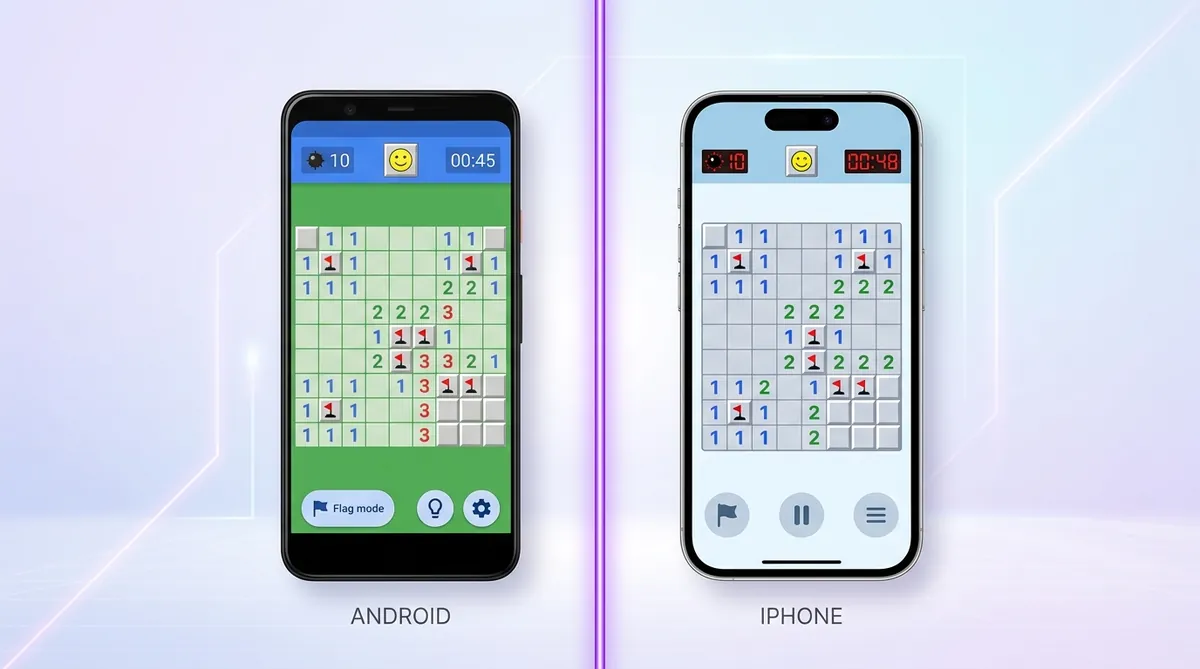
Minesweeper on Mobile: Android vs iOS
The difference between Android and iOS Minesweeper is the app store, not the game. Android offers far more apps but a wider spread of quality and heavier ads; iOS has fewer that perform more consistently. Play in the browser and the platform stops mattering at all.
So you want to play Minesweeper on your phone. Makes sense. It's a great game to pick up for a few minutes. But the experience on Android and iOS is actually pretty different. Let's break it down so you know what you're getting into.
The Apps Themselves
On Android, there are tons of Minesweeper apps on the Google Play Store. Like, a lot. Some are good. Some are really bad. The problem is it's hard to tell which is which until you've already downloaded it and sat through three ads. The most popular ones are free, but they're packed with banner ads and pop-ups that get in the way of the game.
On iOS, the App Store has fewer Minesweeper apps. Apple is a little stricter about what gets in, so the quality tends to be a bit more consistent. But you'll still find ads in the free versions. And the paid ones cost a few bucks, which feels weird for a game that's been free on Windows forever.
Controls and Touch Feel
This is where things get interesting. Minesweeper was built for a mouse. Left click to reveal, right click to flag. On a touchscreen, there's no right click, so developers handle this in different ways.
On Android, most apps use a long press to place a flag. You tap to reveal a square and hold down to flag it. It works okay, but it can feel a little clunky. Sometimes you accidentally reveal a square when you meant to flag it. And that's game over.
On iOS, the controls are usually the same. Long press to flag, tap to reveal. But the touch response feels a bit smoother on iPhones. Apple devices tend to handle small tap targets better, which matters a lot when you're playing on a tiny grid.
Android vs iOS: A Quick Comparison
Ads and Performance
Look, ads are the big problem on both platforms. You finish a game, and boom, a full-screen ad pops up. It kills the flow. Some apps even show ads in the middle of a timed run, which is just unfair.
Performance is usually fine on newer phones. But on older Android devices, some apps can feel laggy. The grid takes a second to respond, or the timer doesn't run right. iOS apps tend to perform more consistently across different iPhone models.
A Better Option for Both
You don't actually need an app at all. You can just play minesweeper right in your phone's browser. No download, no ads, no long press confusion. It works on Android and iOS the same way.
Minesweeper.now is built to work great on mobile browsers. The controls are set up for touchscreens, it loads fast, and there's no app store nonsense to deal with. You can jump straight into a game without installing anything.
And if you want more than just solo play, you can check out the the arena or the daily puzzle. Both work on mobile. So does the player rankings, where you can see how you stack up against other players.
If you're curious about playing on other devices too, we've got a iPad tips that covers touchscreen tips in more detail. It's worth a read if you play on an iPad or larger Android tablet.
Which Platform Wins?
Honestly, neither is perfect when it comes to app-based Minesweeper. iOS apps feel a little more polished and consistent. Android has more choices but more junk to sort through. Both platforms are full of ads in the free apps.
But if you play in the browser, the platform doesn't really matter. You get the same smooth experience either way. So skip the app store drama, open your browser, and just play free minesweeper right now. It's honestly the easiest way to go.
Part of our complete guide: How to Play Minesweeper on Any Device: PC, Mac, Mobile, and Chromebook.
Try what you just read: Beginner Minesweeper · Intermediate Minesweeper · Expert Minesweeper · No-Guessing mode · Daily Challenge. For technique deep-dives, see the patterns guide, efficiency & 3BV/s guide and Minesweeper FAQ.
Run the numbers with the Minesweeper 3BV calculator, see how good your time is, or read more in the Minesweeper guides.