Building Minesweeper in Scratch: A Beginner's Guide for Kids
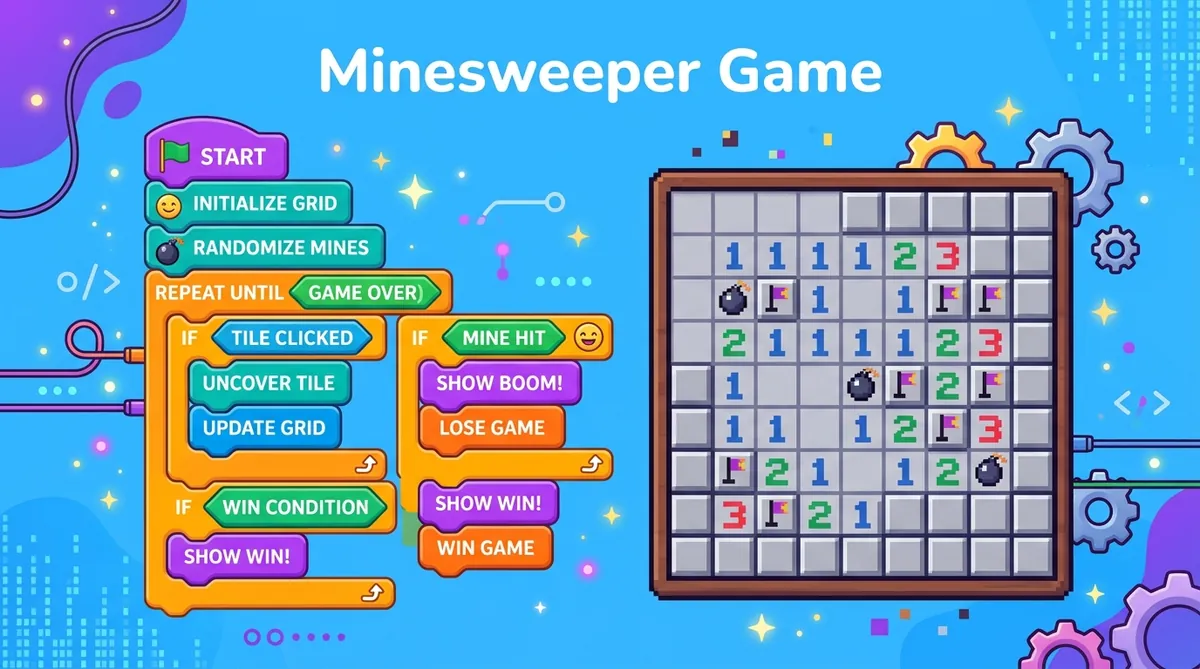
You can build Minesweeper in MIT Scratch without writing a line of text code. The trick is clones: instead of drawing 81 separate sprites for a 9x9 grid, you make one sprite and tell Scratch to clone it. Scratch is free, runs in a browser, and handles mine placement, neighbor counting and revealing with its own blocks.
Have you ever played Minesweeper and thought, "I wonder how this game actually works?" Well, you can actually build your own version of it, and you don't need to know any fancy coding language to do it. With MIT Scratch, a free tool made just for beginners, you can create a working Minesweeper game step by step. It's one of the best first projects you can try, and it teaches you some really cool ideas about how games are made.
Before you start building, it helps to actually understand the game. You can check out this beginner guide to learn how Minesweeper works. Or just online minesweeper for free to get a feel for it first. Trust me, it makes the building part way more fun.
What Is Scratch?
Scratch is a visual coding tool from MIT. Instead of typing out lines of code, you snap colorful blocks together like puzzle pieces. It's perfect for kids because you can see your game come to life right away. And the best part? It's completely free at scratch.mit.edu.
Step 1: Build the Grid
Every Minesweeper game starts with a grid of squares. In Scratch, each square is a sprite. But drawing 81 individual sprites for a 9x9 grid would take forever. So instead, you use something called clones. You create one sprite and then tell Scratch to clone it many times in a grid pattern.
Think of it like stamping the same tile over and over in neat rows and columns. Each clone needs to remember its own position, so you'll use variables to track which row and column it lives in. That way, every square knows exactly where it is on the board.
Step 2: Hide the Mines
Once your grid is set up, it's time to place the mines. You don't want the player to see where they are, so the mines are hidden at the start. In Scratch, you can make a list and randomly pick squares to be "mine squares." Each clone checks whether its position is on that list. If it is, it secretly marks itself as a mine using a hidden variable.
So the grid looks totally normal to the player, but underneath, some squares are secretly dangerous. This is exactly how the real game works too. If you want to understand more about how the game places mines fairly, check out this board generation article.
Step 3: Count the Neighbors
This is the trickiest part, but also the coolest. Every safe square needs to show a number telling the player how many mines are nearby. To do this, each square has to check all of its neighbors, up, down, left, right, and diagonally.
In Scratch, you can do this by checking if any neighboring squares are in your mines list. Count up how many are, and that's the number the square will show when revealed. This idea is called adjacency, and it's the heart of Minesweeper. You can dive deeper into it with this how numbers work article.
Step 4: Reveal the Cells
When a player clicks a square, it should reveal what's underneath. If it's a mine, game over. If it's safe, show the number. And if the number is zero, meaning no mines are nearby, you can automatically reveal all the squares around it too. That chain reaction of revealing empty squares is what makes Minesweeper feel so satisfying.
In Scratch, this works by sending messages between clones. When one square reveals itself, it can tell its neighbors to check themselves too. It's like a little wave spreading across the board.
You've Got This
Look, this project isn't going to be done in one afternoon. But that's totally okay. Take it one step at a time, test as you go, and don't be afraid to break things. Breaking stuff is how you learn. Once you finish, you'll have a real working game that you built yourself from scratch. Literally.
And when you're ready to level up your skills, try checking out this Python tutorial to see how the same ideas work in a real programming language. But first, go build something awesome in Scratch. You've totally got this.
Part of our complete guide: How to Code Minesweeper: A Complete Guide to Building the Game from Scratch.
Try what you just read: Beginner Minesweeper · Intermediate Minesweeper · Expert Minesweeper · No-Guessing mode · Daily Challenge. For technique deep-dives, see the patterns guide, efficiency & 3BV/s guide and Minesweeper FAQ.
Run the numbers with the Minesweeper 3BV calculator, see how good your time is, or read more in the Minesweeper guides.